

The content of news has undergone a major transformation in recent times, especially in this digital age. People are consuming news content through various social media platforms, short videos, live streams, etc. This has given room for various innovative ideas that enable content creators to present content in unique ways. One of the most exciting innovations is the creation of an AI avatar generator that enables content creators, media teams, and even educators to create digital avatars that present news content visually.
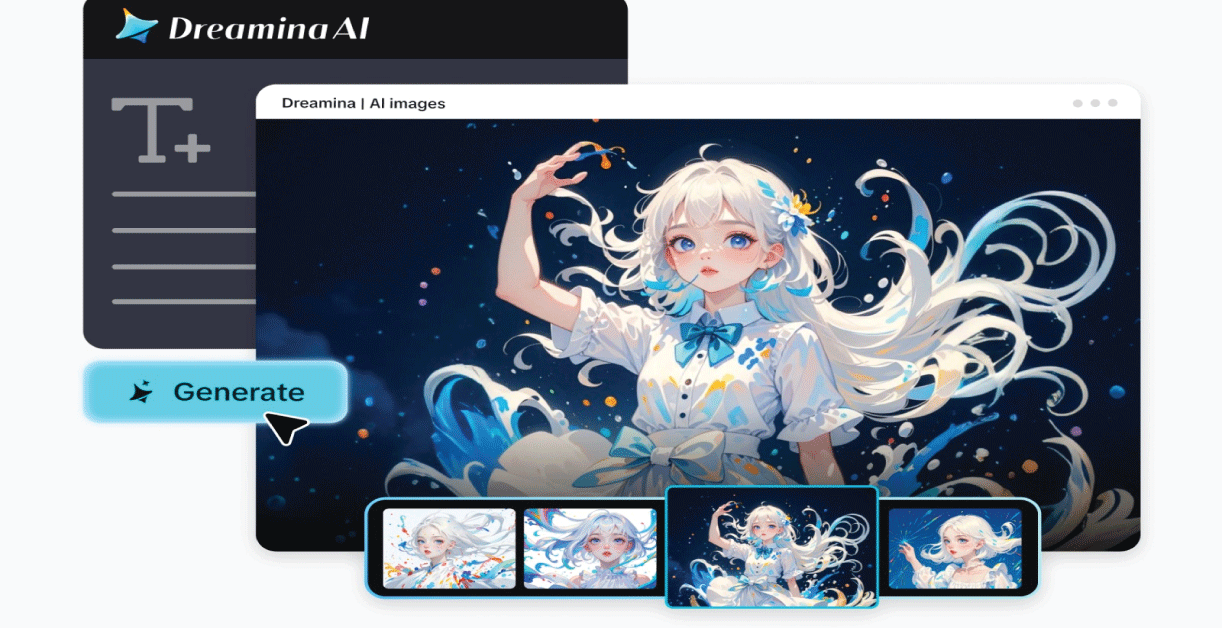
Rather than relying on conventional on-screen presenters, content creators can now create digital avatars that present news content visually. This is possible through various tools, such as Dreamina’s AI avatar generator, which enables even amateur content creators to create digital avatars that present news content visually. With just a detailed prompt, you can create your own digital news presenter that is as professional as modern media content.
In this article, we will discuss how content creators can create digital news presenters using various AI avatar generator tools, including Dreamina.
The increasing importance of virtual presenters in modern media
Digital news media is faster than traditional television broadcasts. Social media feeds update every minute; viewers expect information that is fast, clear, and visually appealing.
Virtual presenters are a great way to solve this challenge. Virtual presenters enable creators to develop consistent news content without requiring a physical studio.
Virtual news avatars can be used for:
- Social media news summaries
- Daily tech news updates
- Educational news explainers
- Business news updates, etc.
Since these avatars are computer-generated, they can be in different environments, styles, and formats. This makes these avatars particularly useful for independent creators and news channels.
What makes a great virtual news presenter
Just like real news presenters, a virtual news avatar must look confident, trustworthy, and professional. The look of a news avatar must be consistent with the style of news presented.
Here are some factors that make a great news avatar:
- Professional clothing, like a blazer or a suit
- Facial expressions and confident postures
- Neutral or studio-style backgrounds
- Soft lighting, reminiscent of a studio environment
All these factors will make a news avatar look credible and trustworthy.
In addition, a news avatar can have different styles for different news types. For example, a news avatar with a more serious look can be used for financial news, while a more energetic news avatar can be used for tech news or entertainment news.
Bring your virtual news anchor to life with Dreamina
Although creating a virtual news anchor sounds like a complex task, Dreamina makes it easy by requiring only three easy steps. By specifying your idea, adjusting the settings, and fine-tuning the results, you can create a professional-looking virtual news anchor for digital broadcasting.
Step 1: Write a detailed text prompt
To create a virtual news anchor, you need to access Dreamina’s creation interface. Instead of choosing a template for your virtual news anchor, you need to write a prompt that describes your idea or concept.
For example, you can write: Create a confident news presenter standing in a modern broadcast studio with digital screens showing global news graphics. The news presenter is dressed in a professional navy blue suit with a white shirt and is holding a tablet for news reporting. The background shows a modern newsroom environment with digital screens showing news graphics and lighting effects.
The prompt you write helps Dreamina understand the environment of your virtual news anchor.
Step 2: Set parameters and create
After writing the prompt, the design process continues by adjusting Dreamina’s parameters. First, choose your desired model. The aspect ratio should be selected according to how your avatar will appear in your video or graphics. The size should be selected and set to a resolution of 1K or 2K to ensure that your design remains sharp and professional. Once all the parameters have been set, click the icon to generate your design in Dreamina.
Step 3: Customize and save
Once your avatar is visible in Dreamina, you can customize your design using Dreamina’s AI editing tools. The editing tools available for customization include inpaint for changing facial or clothing details, expand for changing the background space, remove for eliminating unnecessary details, and retouch for changing lighting effects or clarity. Once your design is complete and ready for use in presenting your news, click the icon to download your design.
Expanding visual storytelling in digital broadcasting
Content creators today don’t stick to one kind of visual format. Instead, they develop an entire visual brand for their news channel.
Some creators even design their logo for their digital news channel using Dreamina’s AI logo generator. This way, they ensure that their videos always have a specific intro to open with.
Developing an entire brand for their digital news channel is possible by incorporating a logo with a virtual presenter. This way, they can develop a professional media brand similar to any other news channel.
Creative storytelling using expressive visuals
Although the presentation of news is always about professionalism, sometimes the visuals can be used to develop an emotional quotient for certain news stories.
For example, lifestyle or cultural news can be presented with creative visuals representing a relationship or celebration. Some designers also explore different ideas for creating expressive visuals based on ideas like AI kissing. Such visuals symbolize a relationship or any other significant moment.
The idea is to explore the possibilities of digital visuals for storytelling more interestingly. The best way to present digital visuals is to engage the audience with short videos or interactive media.
Turning your virtual presenter into a news channel personality
After creating your virtual presenter, you can use it as part of a digital news production pipeline. This can range from using the virtual presenter in videos, social media, or content on your website.
Some of the common ways of using a virtual presenter:
- Creating daily news recap videos
- Creating educational videos
- Creating social media story updates
- Creating YouTube videos for news commentary
Over time, the audience becomes familiar with the virtual presenter as the face of the digital news channel.
Final thoughts: build your digital newsroom with Dreamina
Digital media has opened the door for content creators to present the news in a variety of innovative ways. Virtual presenters are a cost-effective solution for individuals or small teams to create professional-looking content.
With the aid of a tool like the AI avatar generator, making a digital news presenter is now simpler than ever. Dreamina allows creators to transform simple descriptions into detailed visuals with the aid of prompts, parameters, and editing tools.
If you are looking to create a tech news, educational content, or social updates platform, Dreamina can be a great way to create a digital news presenter that represents your brand and allows you to reach the world with your messages.